


Donex ransomware is malware written in C/C++ for Windows that encrypts files on local and networked drives and pushes victims to pay for decryption keys. This analysis covers how Donex works, its file fingerprints, the MITRE ATT&CK techniques it maps to, and the steps that reduce the risk of an attack.
This blog post comes from the Donex Ransomware Technical Analysis report. If you want to read more details, download it as a PDFclick here
What is Donex ransomware?
DoNex Ransomware has emerged as a significant threat, actively compromising companies and claiming victims. This newly discovered malware, written in C/C++ language for Windows systems, operates by encrypting files both locally and on networked drives. Utilizing common Windows service APIs and system commands evades detection and mitigation efforts. Furthermore, DoNex Ransomware exhibits the capability to clear event logs and executable malicious files for evading detection. As organizations face increased risk from this evolving threat, robust cybersecurity measures and proactive defense strategies are crucial to mitigate the impact of DoNex Ransomware attacks.
This ransomware strain employs sophisticated encryption techniques to render files inaccessible, thereby coercing victims into paying a ransom for decryption keys. Given the destructive potential of DoNex Ransomware and its ability to inflict severe financial and reputational damage, organizations must prioritize robust cybersecurity measures to safeguard their assets and data against such malicious threats.
- Type.
- Ransomware that encrypts files for ransom.
- Platform.
- Windows.
- Written in.
- C/C++.
- Reach.
- Local files and networked drives.
- Evasion.
- Clears event logs and executable malicious files.
Scope
| Filename | donex.exe |
| Filetype | PE32 |
| Written Language | C/C++ |
| MD5 | 8a23347b733420472a1ec0a1eeada597 |
| SHA1 | 21eae7e488b145fa3618627da99c3234696c0f15 |
| SHA256 | 0adde4246aaa9fb3964d1d6cf3c29b1b13074015b250eb8e5591339f92e1e3ca |
| First Seen / Detection Date | 2024-03-05 |
| Initial Infection Vector | Unknown |
MITRE ATT&CK Threat Matrix
- TA0002 Execution
- T1059 Command and Scripting Interpreter (formerly T1064, Scripting)
- T1106 Native API
- T1129 Shared Modules
- TA0003 Persistence
- T1543 Create or Modify System Process
- T1543.003 Windows Service
- T1543 Create or Modify System Process
- TA0005 Defense Evasion
- T1027 Obfuscated Files or Information
- T1070 Indicator Removal
- T1685.005 Clear Windows Event Logs (formerly T1070.001)
- T1070.004 File Deletion
- T1140 Deobfuscate/Decode Files or Information
- T1685 Disable or Modify Tools (formerly T1562, Impair Defenses)
- T1564 Hide Artifacts
- T1564.003 Hidden Window
- T1112 Modify Registry
- TA0007 Discovery
- T1082 System Information Discovery
- T1007 System Service Discovery
- T1083 File and Directory Discovery
- T1135 Network Share Discovery
- TA0040 Impact
- T1489 Service Stop
How do you defend against Donex ransomware?
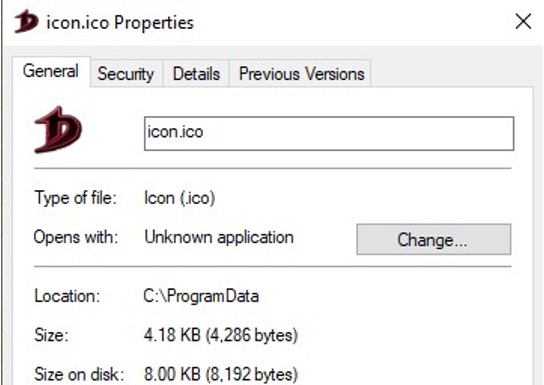
- Check for the existence of the files named icon.ico and 1.bat under the directory C:\ProgramData.
- Verify the presence of keys containing either f58A66B51 or f58A66B51file\ DefaultIcon in the registry values.
- Regularly back up critical data and ensure that backups are stored securely and offline. This enables organizations to restore data without paying the ransom in case of a ransomware attack.
- Use email filtering solutions to block malicious attachments and links before they reach users’ inboxes. This can prevent employees from inadvertently downloading ransomware payloads.
Conclusion
Donex Ransomware presents a significant threat to individuals and organizations alike due to its sophisticated encryption techniques and ransom demands. Its ability to encrypt files and demand payment for their release underscores the importance of robust cybersecurity measures, including regular data backups, up-to-date antivirus software, and user education on phishing and malware prevention.
Additionally, proactive monitoring of system activities and prompt response to any signs of ransomware infection are crucial for minimizing potential damage. As cybercriminals continue to evolve their tactics, it is imperative for individuals and organizations to remain vigilant and adapt their cybersecurity strategies accordingly to mitigate the risks posed by threats like Donex Ransomware.
This blog post comes from the Donex Ransomware Technical Analysis report. If you want to read more details, download it as a PDFclick here